
 Google has made its desktop application for Windows widely available. The application, Google app for Desktop, brings the search giant's AI services directly to the Windows desktop without the user needing to open a separate browser.
Unlike normally with Google's new innovations, the application is immediately available in all countries - although its user interface currently only works in English. The application works on both Windows 10 and Windows 11.
The core idea of the application is to bring the entire operating system under one search - strongly reminiscent of macOS's Spotlight. The keyboard shortcut alt + spacebar opens a small floating search bar on the screen, through which one can search simultaneously from multiple sources. From the same search field, one can, of course, perform web searches using Google, but in addition, the search can also find files on the computer's hard drive, applications installed on the computer, and information stored on the user's own Google Drive cloud storage.
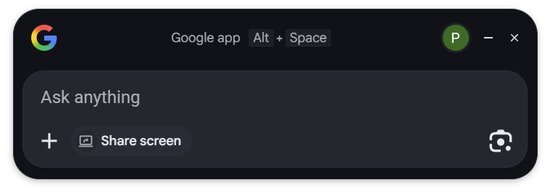
The search bar is not just a text field; it also integrates file uploads, screen sharing, and image-based search. One can drag and drop PDF files or images into the search window and ask Google's AI questions related to that file. All web searches open by default in AI mode, and the traditional list of links can only be opened by clicking on a different tab separately.
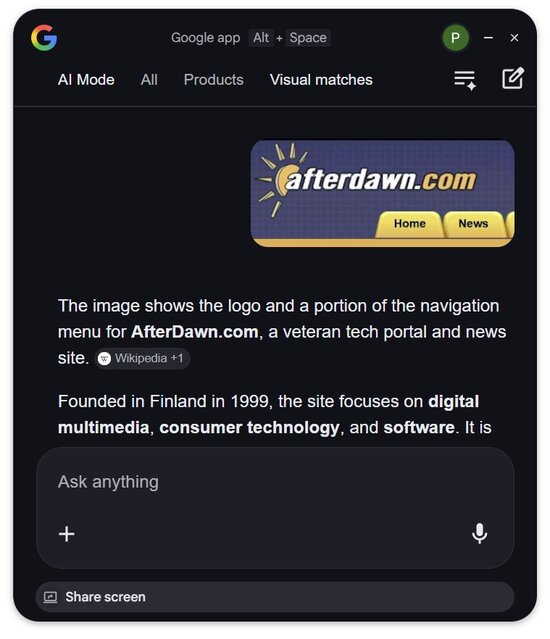
a piece of the old AfterDawn website's layout has been snipped into the application here
In addition, the application offers the ability to share the entire visible screen content with the AI or select only parts of the information displayed on the screen, from which questions can then be asked. Practically, taking screenshots and then sharing them with the AI for processing in a browser is no longer necessary thanks to Google's new application. The technology is essentially familiar Google Lens, but in a simpler and more tightly integrated form within the operating system.
The application can be downloaded directly via the official Google app for Desktop download page.
The core idea of the application is to bring the entire operating system under one search - strongly reminiscent of macOS's Spotlight. The keyboard shortcut alt + spacebar opens a small floating search bar on the screen, through which one can search simultaneously from multiple sources. From the same search field, one can, of course, perform web searches using Google, but in addition, the search can also find files on the computer's hard drive, applications installed on the computer, and information stored on the user's own Google Drive cloud storage.
The search bar is not just a text field; it also integrates file uploads, screen sharing, and image-based search. One can drag and drop PDF files or images into the search window and ask Google's AI questions related to that file. All web searches open by default in AI mode, and the traditional list of links can only be opened by clicking on a different tab separately.
a piece of the old AfterDawn website's layout has been snipped into the application here
In addition, the application offers the ability to share the entire visible screen content with the AI or select only parts of the information displayed on the screen, from which questions can then be asked. Practically, taking screenshots and then sharing them with the AI for processing in a browser is no longer necessary thanks to Google's new application. The technology is essentially familiar Google Lens, but in a simpler and more tightly integrated form within the operating system.
The application can be downloaded directly via the official Google app for Desktop download page.




